Gig Driver Income Tracker, Delivery Mileage & Tax Planner (Excel, Web App)
On PayPal, choose Send, enter $15.55 and put the product name in the note. Your download link follows by email within 24 hours.
- Download link sent to your email after payment
- Works offline on Windows, Mac, iPad and Android
- One free bonus edition included: PDF, Notion, spreadsheet or GoodNotes
- Sold and supported by BrowserHub · hello@browserhub.app
Product #4554998769 · 19 views · 1 favourites
About this product
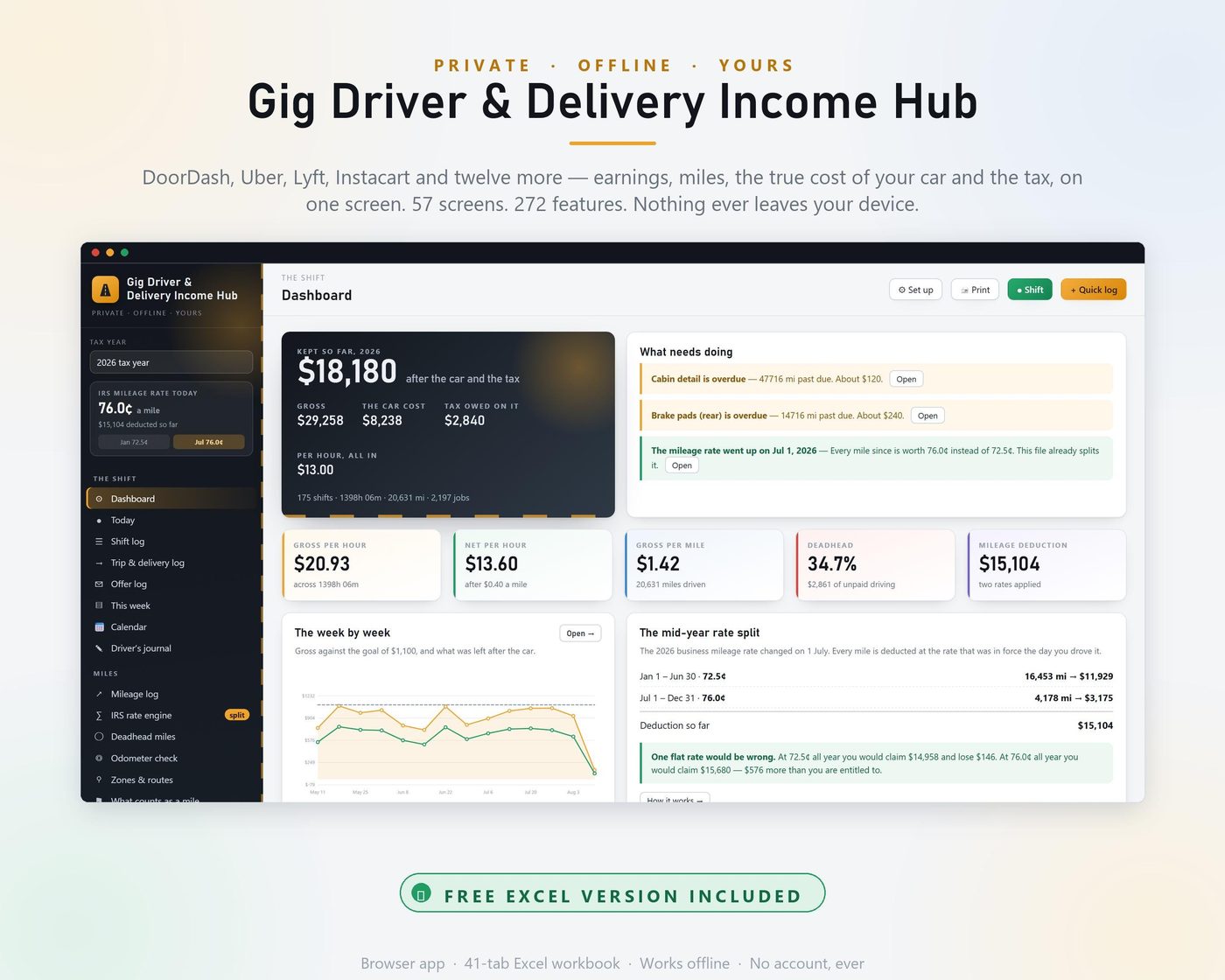
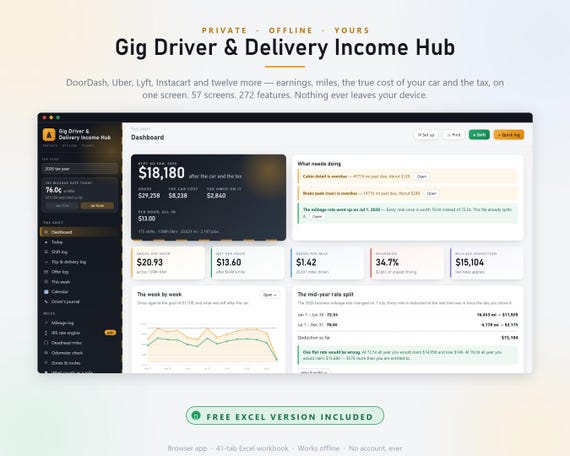
GIG DRIVER & DELIVERY INCOME HUB — earnings, miles, the true cost of your car and the whole tax side, in one file that works with the internet switched off and never sends anything anywhere.
This is not a printable and it is not a PDF planner. It is a real application that runs in your browser, plus a 41-tab spreadsheet, and everything in both of them calculates.
- INSTANT DOWNLOAD — 4 FILES
- Gig Driver & Delivery Income Hub (Web) — 57 screens, 272 features, works offline in any browser
- Gig Driver & Delivery Income Hub (Excel) — 41 tabs, 7,754 live formulas, no macros
- Quick Start Guide (PDF) — 24 pages, including a three-page chapter on online backup, export, restore and how to open a backup file
- All 272 Features (PDF) — the complete list, grouped
THE ONE THING NO PRINTABLE CAN DO
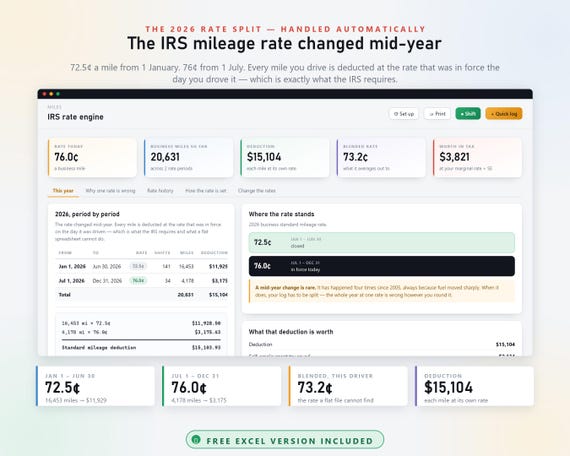
The 2026 IRS business mileage rate CHANGED IN THE MIDDLE OF THE YEAR.
72.5¢ a mile from 1 January to 30 June.
76¢ a mile from 1 July to 31 December.
That means your mileage log has to be SPLIT. A single flat rate is wrong in one direction or the other, and a printable planner with one rate written at the top cannot know which side of 1 July a mile fell on.
This file stamps every shift with a date and applies the rate that was in force that day — automatically, for every year in the table, including the ones where nothing changed.
On the worked example inside — 20,631 business miles:
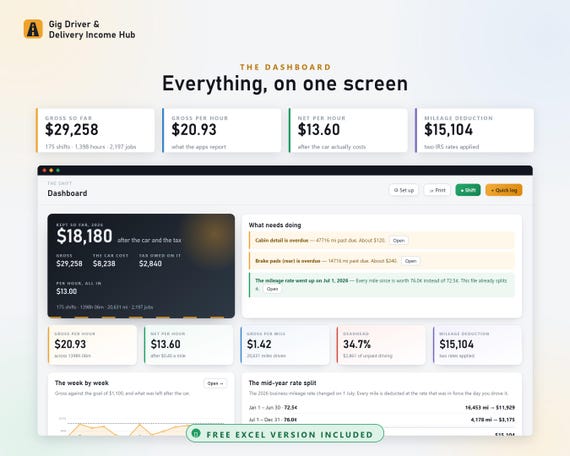
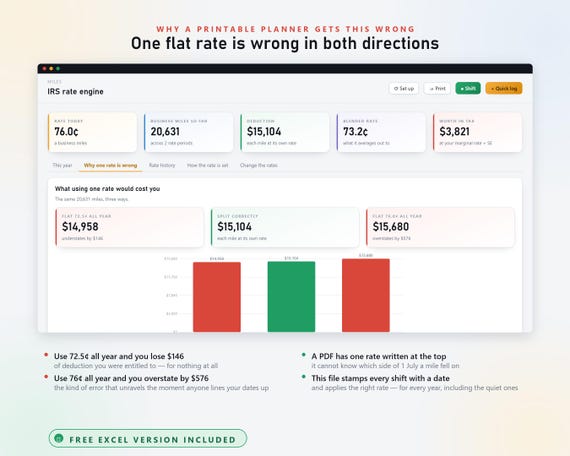
- Flat 72.5¢ all year → $14,958. You throw away $146 of deduction you were entitled to.
- Split correctly → $15,104. What you are actually owed.
- Flat 76¢ all year → $15,680. You overstate by $576 — the kind of error that unravels the moment anyone lines your dates up against the published rates.
The workbook has a whole tab showing you that comparison on YOUR miles. So does the app.
WHAT ELSE IT ACTUALLY WORKS OUT
- YOUR TRUE COST PER MILE — fuel at your real tank-to-tank MPG, servicing, tyres, insurance, loan interest and the value your car is losing. Most drivers count fuel and stop; fuel is usually about a quarter of the real number.
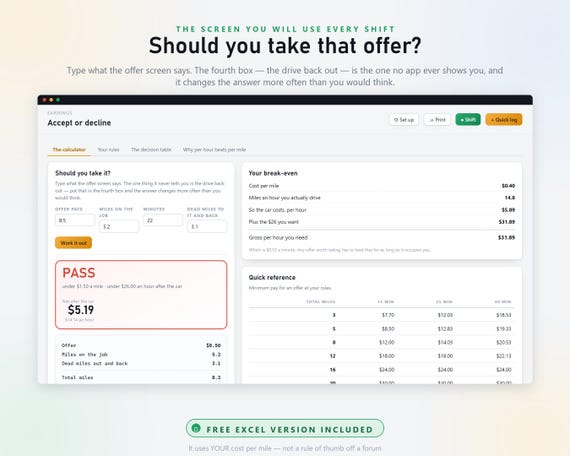
- SHOULD YOU TAKE THAT OFFER — type four figures and get a TAKE IT or PASS against your own rules. The fourth box is the drive back out, which no offer screen ever shows you and which changes the answer more often than you would think.
- WHAT YOU ACTUALLY KEEP PER HOUR — gross, then per engaged hour, then after the car, then after tax. Only the fourth is money, and it is the one you can compare with a wage.
- DEADHEAD — the miles nobody paid you for, by app and week by week, priced at your own cost per mile.
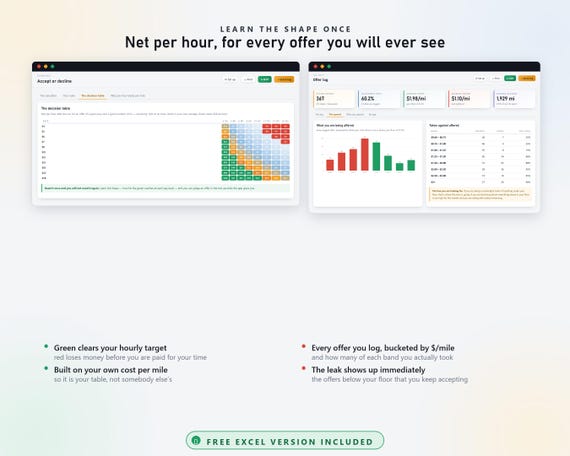
- YOUR BEST HOURS — a heat map of your own dollars per hour by weekday and time band, built from your own logged trips. Not a forum's opinion about Friday nights.
- WHICH APP IS ACTUALLY PAYING — every platform on eleven measures, plus share of money against share of hours, so the app taking more time than it gives is obvious.
- MULTI-APPING, MEASURED — your own one-app, two-app and three-app shifts compared. The argument everybody has and nobody measures.
- THE TAX SIDE — set-aside per job and per hour, self-employment tax line by line, four quarterly due dates (which are NOT equal quarters), a full Schedule C from your own logs, standard mileage against actual expenses computed both ways, and 1099 reconciliation against your own payout record.
BUILT FOR THESE PLATFORMS
DoorDash · Uber Eats · Uber · Lyft · Instacart · Grubhub · Amazon Flex · Spark Driver · Shipt · Roadie · GoPuff · Favor · Veho · Point Pickup · Curri · and anything else you add
Sixteen platforms in the library, each with the way it actually pays and one thing worth knowing about it.
WHAT IS IN IT — 57 SCREENS
THE SHIFT — Dashboard · Today with a live shift tracker · Shift log · Trip and delivery log · Offer log · This week · Calendar · Driver's journal
MILES — Mileage log · IRS rate engine · Deadhead miles · Odometer check and reconciliation · Zones and routes · What counts as a business mile
EARNINGS — Platforms · Per hour · Per mile · Tips · Promotions · Best hours heat map · Accept or decline calculator · Multi-apping · League table · Payouts
THE CAR — The vehicle · True cost per mile · Fuel and MPG · Maintenance · Wear and replacement · Depreciation · Insurance and tags · Lease, own or rent · Gear
MONEY — Real profit · Expense log · Deduction finder · Break-even · Goals · The no-employer gap · Year-end projection
TAX — Tax set-aside · Quarterly estimates · Self-employment tax · Schedule C · Mileage vs actual · 1099 check · Year-end tax pack · Audit-proof records
THE DRIVER — Ratings and standing · Safety and incidents · Breaks and wellbeing · Address notes
RECORDS — Printable reports · Backup and cloud · One-click setup · All 272 features · Your data
ONE-CLICK SETUP
Six short screens and the whole file rebuilds itself around your answers: you, your car, your apps, your rules and your tax position. It clears the worked example, works out your cost per mile, writes your accept-or-decline rules and puts the right IRS rate against every date in the year.
Ten minutes, once.
ONLINE BACKUP — ONE BUTTON
The app has no account and makes no network calls. It cannot upload anything itself, and that is deliberate.
So instead it writes your backup file straight into a folder your own Google Drive, Dropbox, OneDrive or iCloud app is already watching — and that app does the uploading. You keep the offline guarantee and you get the off-device copy.
After the first time it is ONE CLICK and it overwrites the same file, so your cloud keeps one tidy copy rather than forty. A reminder appears on the dashboard when it is due.
The guide has a full three-page chapter on it: setting the cloud folder up with the actual folder paths on Windows and Mac, how often to back up, the rule of three, restoring, moving to a new computer or phone, four CSV exports, opening a backup file in Notepad and reading it, and eight things that go wrong with what to do about each.
Or save it to a USB stick with the same button. No cloud account involved at all.
FREE EXCEL WORKBOOK INCLUDED
41 tabs. 7,754 live formulas. No macros, so nothing warns you about enabling anything. Opens in Excel, Google Sheets, LibreOffice and Numbers.
The same split-rate engine, the same cost per mile, the same offer calculator, the same Schedule C — as formulas you can see, change and build on. White cells are yours to type in; shaded cells calculate themselves.
PRIVATE, OFFLINE, YOURS
No account. No sign-in. No subscription. No server. No tracking. No location access and nothing running in the background draining your battery.
Everything you type stays in your browser on your device until YOU back it up. Works on Windows, Mac, Linux, a phone or a tablet, in any modern browser, with the internet switched off.
Your records save as one small plain-text file you can open in Notepad. Nothing is locked inside anybody's software — which matters more for a mileage log than for almost anything else you keep.
BEFORE YOU BUY
This is a DIGITAL DOWNLOAD. Nothing is posted to you.
It is arithmetic, not tax advice. The rates, brackets and thresholds are the published federal figures and every one of them is an editable cell, because your situation, your state and your year are yours. It does the sums honestly and shows its working — then you or your preparer sign the return.
It is not an automatic GPS mileage tracker. It does not run in the background and it does not watch where you are. You type the odometer at both ends of a shift, which takes five seconds and produces stronger evidence than any app-generated estimate.
Because it is an instant download, it cannot be returned. Message me if anything is unclear before you buy — I would rather answer a question than sell you the wrong thing.
You may also like
All products →
Tattoo Studio Hub, Appointment Book, Excel Sheet, Artist Splits, Consent Forms (Digital Download)
Hour & Casebook Therapy Planner, Private Practice Caseload Tracker, Progress Notes (Digital Download)

Cleaning Business Hub App, Schedule, Quote Calculator, Profit Tracker (Excel Included)