Novel Planner, Author Novel Writing Hub, NaNoWriMo, NaNoWriMo Tracker, Word Count Tracker, Writers Planner, Book Writing Journal, Preptober
On PayPal, choose Send, enter $15.55 and put the product name in the note. Your download link follows by email within 24 hours.
- Download link sent to your email after payment
- Works offline on Windows, Mac, iPad and Android
- One free bonus edition included: PDF, Notion, spreadsheet or GoodNotes
- Sold and supported by BrowserHub · hello@browserhub.app
Product #4554886179 · 39 views · 6 favourites
About this product
AUTHOR & NOVEL WRITING HUB
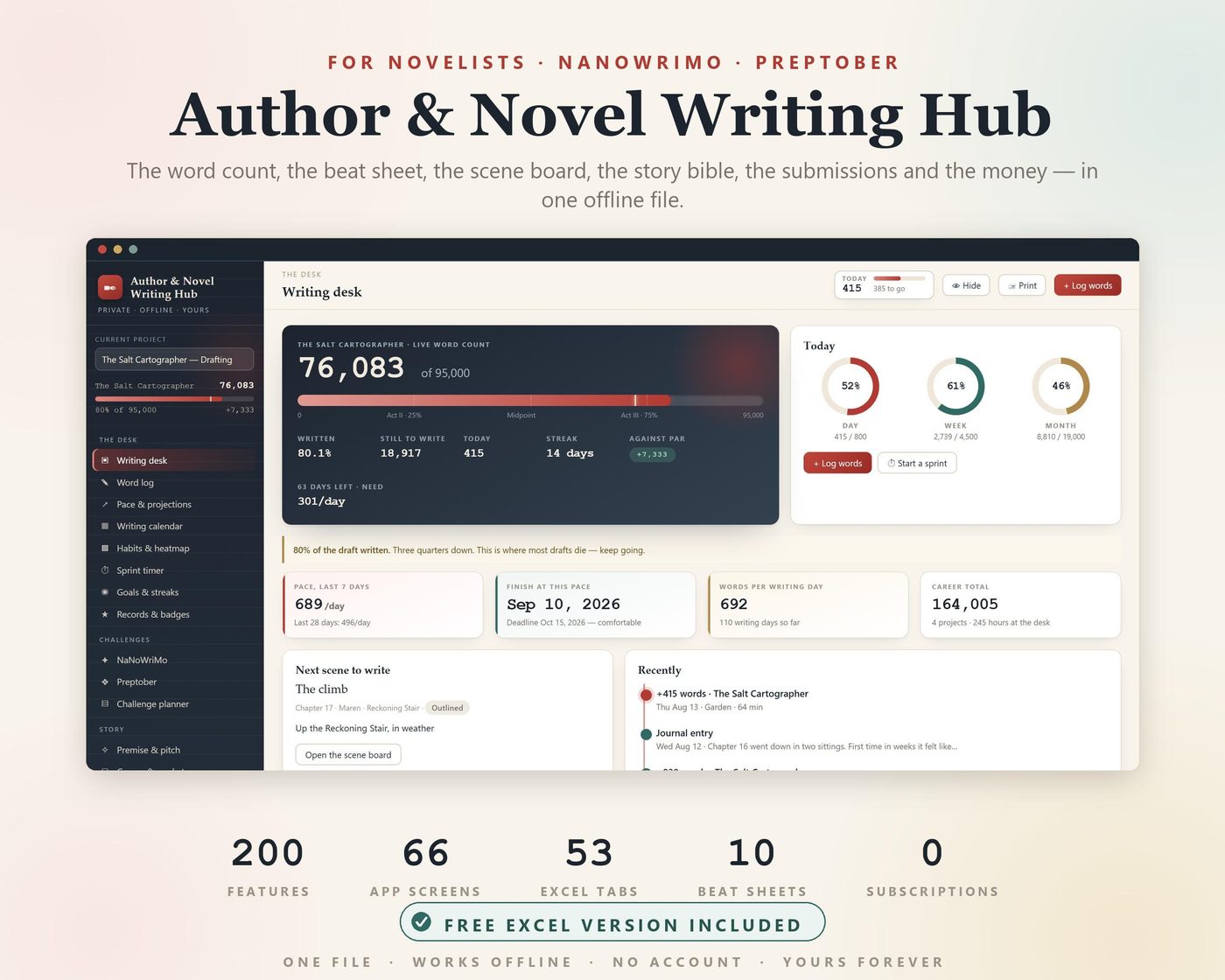
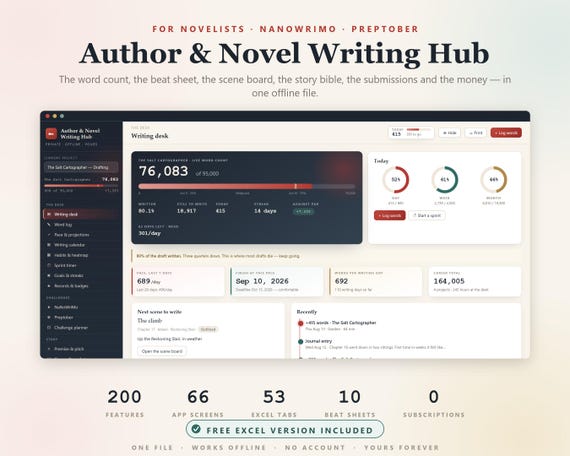
Everything a novelist has to keep track of, in one offline file — the word count, the beat sheet, the scene board, the story bible, the revision plan, the submissions, and the money.
66 screens · 200 features · a 53-tab Excel workbook included free · nothing ever leaves your device.
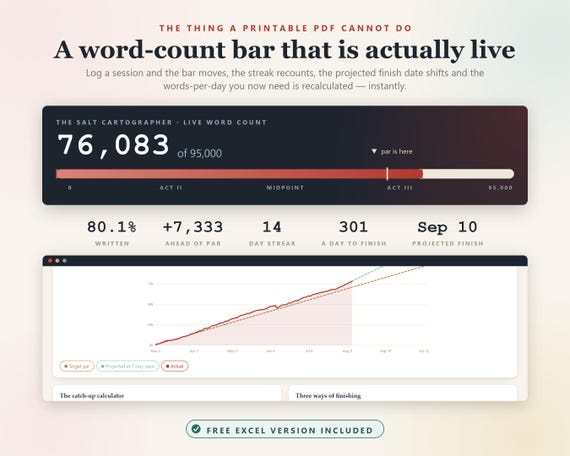
THE THING A PRINTABLE PDF CANNOT DO
A live word-count progress bar.
Log a session and the bar moves, the streak recounts, the projected finish date shifts, and the words-per-day you now need is recalculated — instantly. There is a marker on the bar showing where the target says you should be today, and the act breaks are drawn on it so you can see whether your midpoint is landing anywhere near the middle.
That is the difference between a worksheet and a tool. Everything below works the same way: you type one thing, and every number that depends on it moves.
THE TIMING IS THE POINT
Preptober is October. NaNoWriMo is November. If you are reading this in August or September, you are exactly on time.
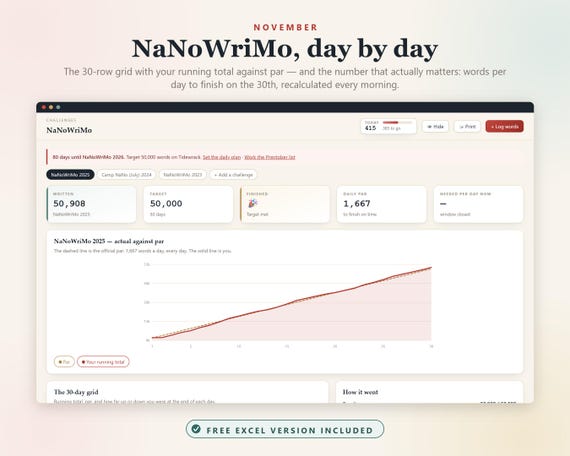
- NaNoWriMo mode — 30-day window, 50,000-word target, 1,667/day par
- The 30-row grid with your running total, the par line, and how far up or down you were at the end of each day
- "Words per day to finish on the 30th", recalculated every single morning from where you actually are — not the number on the poster
- Mark the days you already know you will lose and the target redistributes across the days you can write
- Camp NaNo mode: any target, any month
- A 31-day Preptober checklist, one job a day, each linking to the screen where the work happens
- A countdown to November 1 on your dashboard through October
- A printable win certificate filled with your own totals
- Every past attempt archived, year by year
WORDS, PACE AND THE HABIT
- Daily word log — date, words, minutes, type, where you wrote, what hour, what mood
- Log words written, or "the manuscript now reads X" and it works out the difference
- Negative days for when you cut more than you wrote, so the graph never lies to you
- Words per hour and per minute on every session
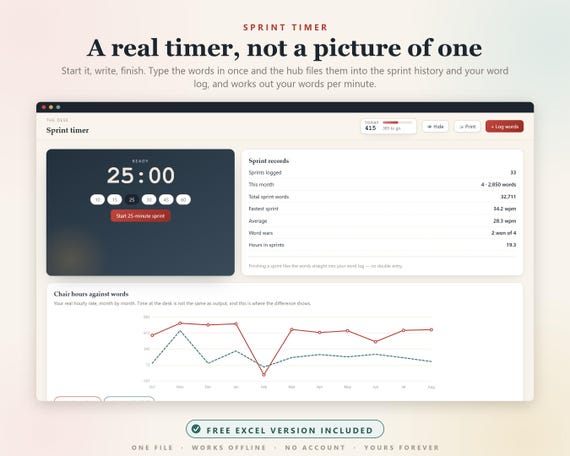
- A live sprint timer — 10, 15, 25, 30, 45 or 60 minutes — that files the words into your log when you finish and works out your WPM
- Word wars: log an opponent's total against yours and settle it
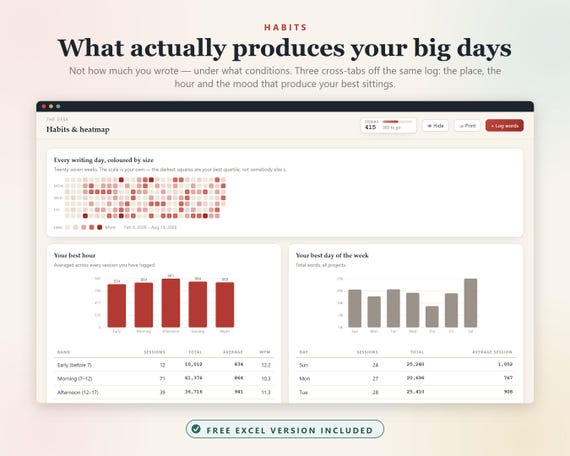
- Calendar heatmap scaled to your own range, not somebody else's
- Rolling 7-day and 28-day pace
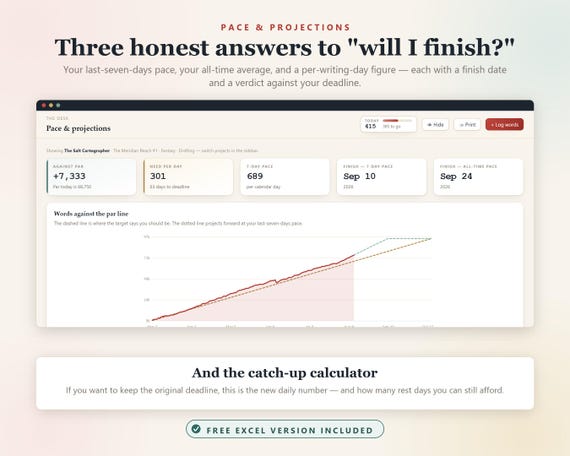
- THREE honest finish dates: last-7-days pace, all-time average, and per-writing-day — each with a verdict against your deadline
- The catch-up calculator: the new daily number that still hits the original deadline, and how many rest days you can still afford
- Streaks with rules you set — does a minimum day count, are rest days free, streak-freeze tokens you earn by beating your goal
- Your best hour, your best day of the week, your best writing place and your best mood, cross-tabbed off your own log
- Consistency score, personal records, 18 badges that can only be earned by actually writing
TEN STORY STRUCTURES, PLACED BY WORD COUNT
Save the Cat! · Three-act · The Hero's Journey · Dan Harmon's Story Circle · Seven-point · The Snowflake Method · Romance beats · Mystery & thriller beats · Freytag's pyramid · Kishōtenketsu
Every beat's target word position is calculated from YOUR target, not a generic 80,000-word novel. Change your target and every beat on every sheet moves. Attach a scene to a beat and the hub tells you how far it has drifted from where it should land — and flags any beat you have written but never scened.
THE SCENE BOARD
- Drag scenes between five columns: idea → outlined → drafted → revised → final
- Every card carries its own word count, POV, place and chapter, so the column totals move as you move the cards
- Full scene sheet: goal, conflict, disaster, tension 1–10, value shift, action or sequel
- The tension curve charted across the whole manuscript
- Action against sequel in running order, with a warning when three action scenes run back to back
- POV balance by WORDS, not scene count — a POV with many short scenes is not really sharing the book
- Chapter-length consistency, with the outliers flagged
- Plot threads that flag themselves as dangling the moment you leave the closing chapter blank
- Foreshadowing: every plant, every payoff, and a plant-to-payoff map
- A cut-scenes graveyard, because cut words were still work
THE STORY BIBLE
- Character bible: want, need, THE LIE they believe, THE TRUTH they must learn, and the wound it came from
- Arc milestones across Act I, the first crack, the midpoint, all-is-lost and the climax
- A 60-question character interview, per character
- Voice notes and a blind test that hides the names — if you cannot tell who is speaking, the voice is not done
- A name checker that flags the characters a reader will confuse (the single most common beta-reader complaint)
- An appearance map showing exactly where each character is on and off the page
- Relationship map, conflict grid, and a secrets ledger with the chapter each one breaks
- World bible: locations with sensory detail, factions, history, languages, economy, calendar
- System rules — write down what the magic costs, then flag every place the story bends one
- A worldbuilding depth meter: how much of what you built actually reaches the page
- In-story timeline with a warning on every jump of a week or more
- Continuity ledger that turns red the moment you contradict yourself
- A style sheet your copyeditor will thank you for
REVISION
- A pass planner: developmental, structural, line, copy, proof, read-aloud
- A chapter × pass grid — the whole revision on one screen, click a cell to advance it
- A 43-point checklist across structure, character, plot, pacing, prose, dialogue and continuity
- NINE problems the hub finds for you, counted live off your own pages: dangling threads, unpaid plants, continuity contradictions, unresolved rule breaks, scenes with no stated goal, beats with no scene, characters off the page too long, confusable names, untriaged notes
- Beta reader roster with deadlines, plus the ten questions worth asking
- A feedback triage board — every note accepted, rejected or deferred, WITH the reason written down
- A consensus detector, because three readers independently is a fact and one reader is an opinion
- Paste a chapter into the prose analyser: crutch words, filter words, sentence and paragraph length, dialogue share, adverb rate, reading level, repeated sentence openers
QUERYING AND THE BUSINESS
- Agent and market list with genre, wishlist, submission rules and stated response time
- A RESPONSE CLOCK on every submission, timed against what that agent actually promised — with a nudge flag the day the window closes, and a template that does not apologise
- Request rate overall and per batch, so you can tell whether the rewrite worked
- Query letter versions with the sent and request numbers attached to each
- Short fiction and contest tracking, with a warning for markets that forbid simultaneous submissions
- Royalties by platform, format and month, including page reads
- A KDP-style calculator with the real delivery fee and the real print costs — and a warning when your price falls outside the 70% band
- A price ladder: what you earn at every standard price point, and the sales needed for $1,000
- Ad ROI, ACOS and cost per unit by campaign
- Per-book profit and loss with the break-even unit count
- Expenses ledger and a year-end tax summary by category
- Launch plan, ARC team conversion, reviews, series bible, platform growth
ONLINE BACKUP — YOUR OWN GOOGLE DRIVE OR DROPBOX
The hub has no server and no account, so it cannot upload anything itself — and that is the point. What it does instead is write your backup file straight into a folder on your own computer and keep re-writing it as you work. Point it at your Google Drive, Dropbox, OneDrive or iCloud folder and their desktop app does the syncing.
Your work goes to your own cloud account, on your own terms, and never through anything belonging to this file. One click to set up; a manual download backup works on every device and browser.
WHY A FILE AND NOT AN APP
There is no account, no login, no server and no subscription. The hub is a single HTML document that opens in any browser. It makes no network calls at all — switch off your wifi and it works exactly the same.
Scrivener is $60. Plottr is $99. QueryTracker premium is $25 a year. ScribeCount is a monthly subscription. Each of them does one slice of this. This does all of it, once, for the price of a coffee, and it keeps working if this shop disappears tomorrow.
Press H to blur the whole screen instantly. Set a four-digit PIN if other people use your computer.
WHAT YOU GET — INSTANT DOWNLOAD
1. Author & Novel Writing Hub (Web).html — the app. 66 screens, 200 features, offline.
2. Author & Novel Writing Hub (Excel).xlsx — 53 tabs, 5,070 live formulas, zero errors. Change the target on one tab and the par line, the streak, the projections and the beat positions on all seven beat sheets follow. Opens in Excel, Numbers, LibreOffice or Google Sheets.
3. Quick Start Guide (PDF) — ten minutes to a working setup, then every screen explained.
4. All 200 Features (PDF) — everything in the hub, numbered and grouped.
It arrives filled with a complete worked example — four books, ten months of real writing days, a full story bible and a live submission pipeline — so every screen shows you what it is for. One button clears it when you are ready to put your own book in.
Works on Windows, Mac, iPad, Android, Chromebook and Linux. Any modern browser.
A FEW HONEST NOTES
- Your work is saved in the browser you open it in, on that device. Use the same browser each time, and set up the backup — it takes one click.
- The automatic backup needs Chrome, Edge or Opera on a desktop. Everywhere else, the one-click download backup works.
- This is a tracking and planning tool. It will not write your book, and it does not use AI to generate anything.
- Digital download — no physical item will be shipped. Because of that, all sales are final. Message me if anything does not work and I will fix it.
Go and write the thing.
You may also like
All products →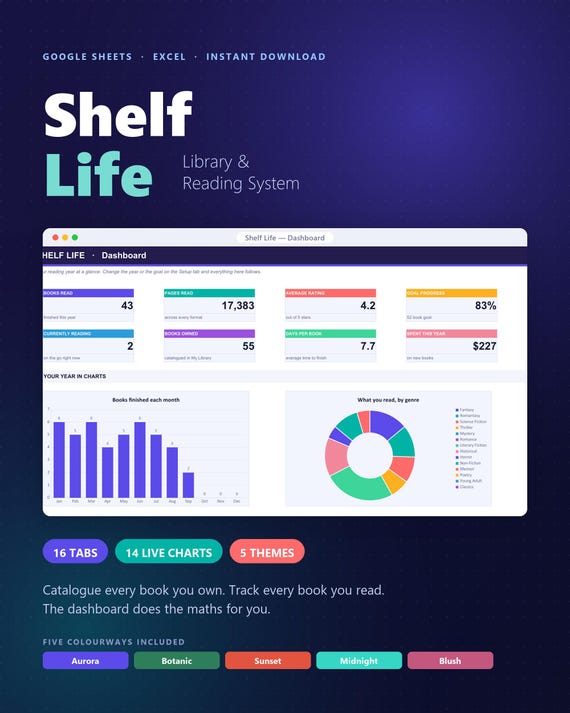
Book Tracker & Library Catalogue Spreadsheet | 5 Themes, Auto-Linking (Digital Download)
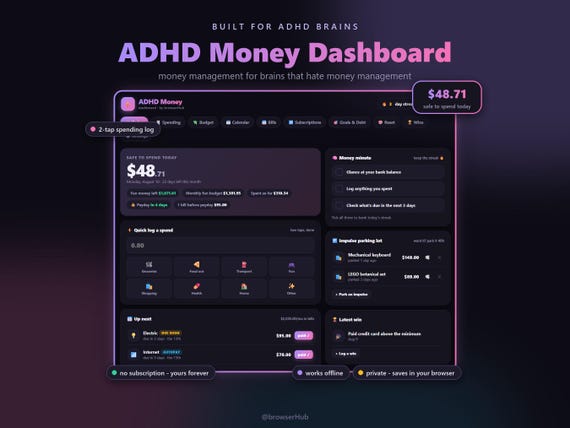
ADHD Money Dashboard App, ADHD Budget Planner, Safe to Spend Tracker (Digital Download)
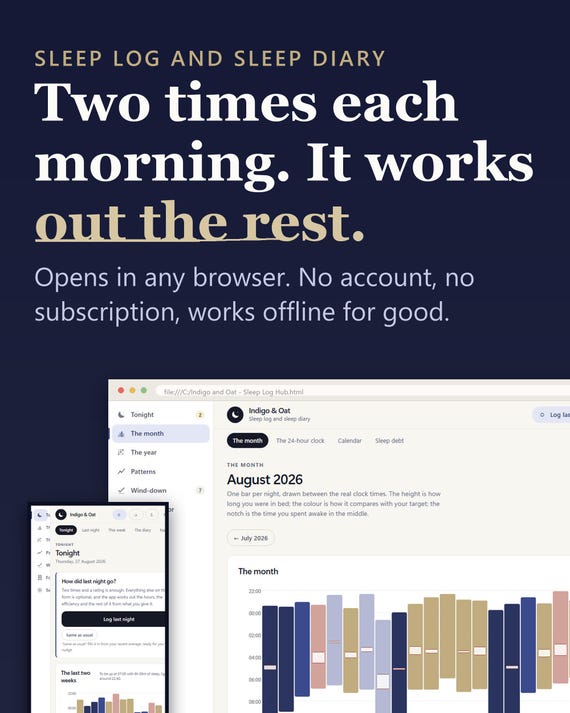
Sleep Log App, Insomnia Tracker, Sleep Planner (Digital Download)