Shadow Work Journal App | 520 Prompts, Trigger Log, Offline (Digital Download)
On PayPal, choose Send, enter $11.11 and put the product name in the note. Your download link follows by email within 24 hours.
- Download link sent to your email after payment
- Works offline on Windows, Mac, iPad and Android
- One free bonus edition included: PDF, Notion, spreadsheet or GoodNotes
- Sold and supported by BrowserHub · hello@browserhub.app
Product #4569925773 · 12 views · 0 favourites
About this product
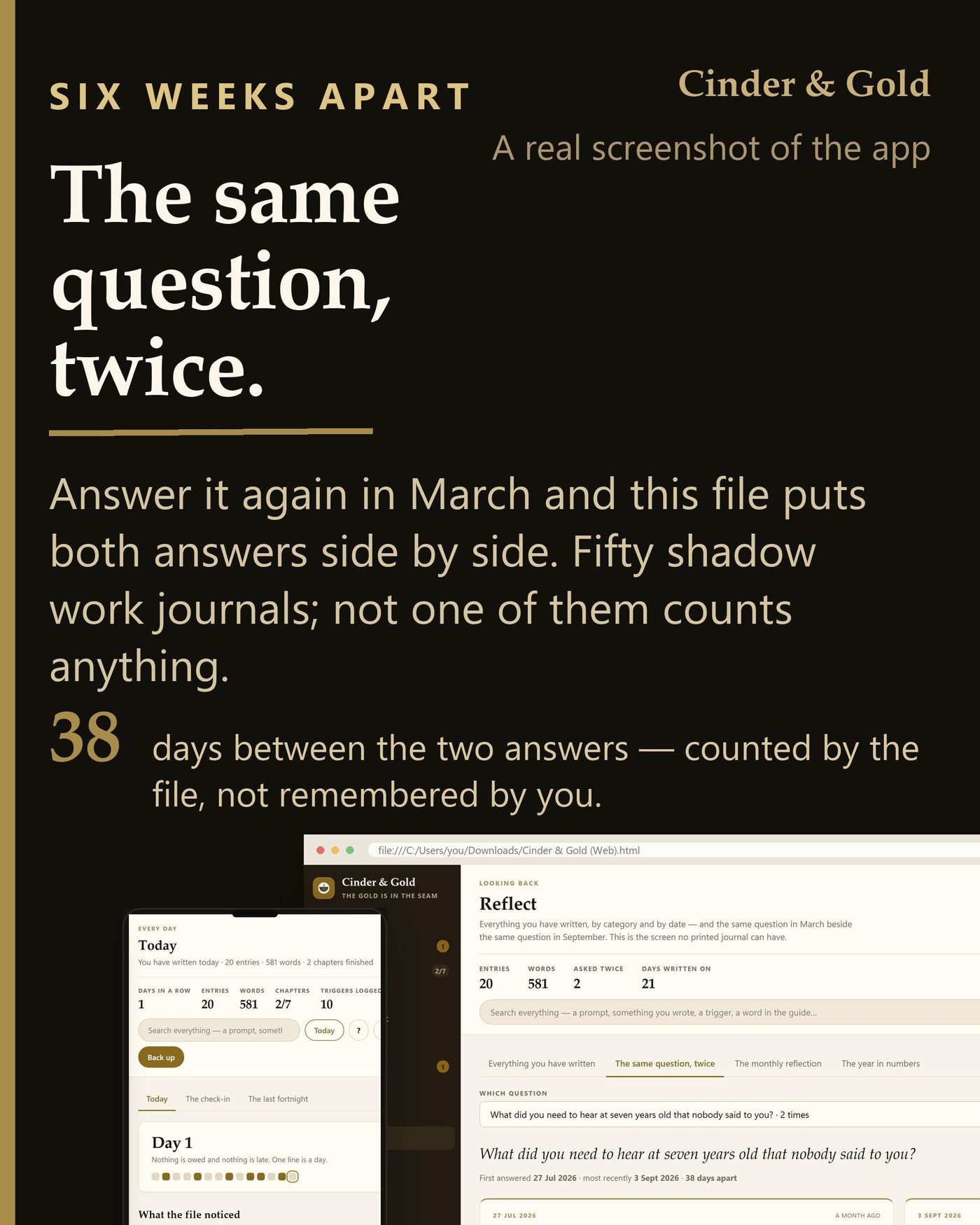
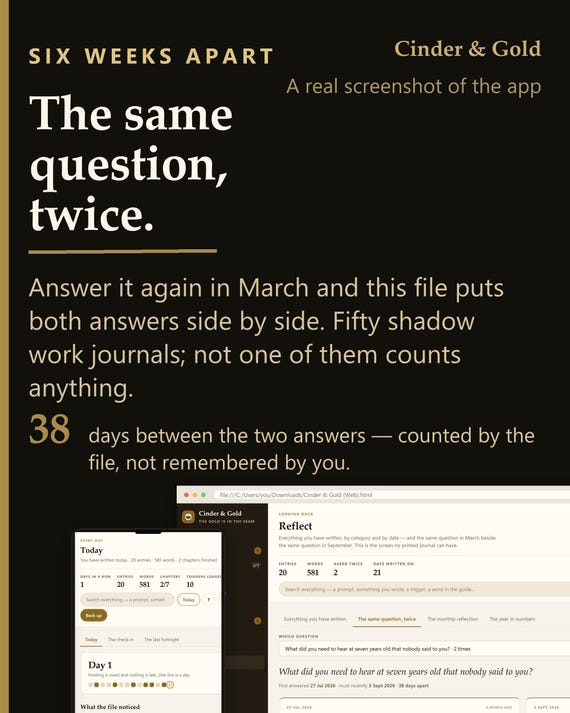
Answer a question in July. Answer it again in September. This file puts the two answers side by side and tells you how many days apart they were — which is the one thing no printed journal can do.
WHAT IT IS
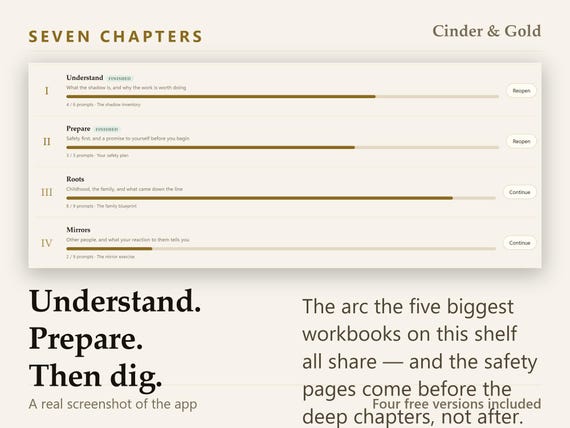
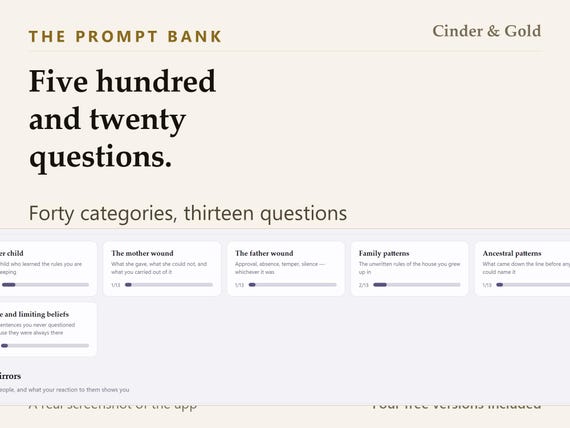
A shadow work journal that runs in your browser. One file. Seven chapters in the order that makes them safe, five hundred and twenty questions in forty categories, seven worksheets, a trigger log, an emotion wheel of forty-eight words, eight archetypes and a thirty-term glossary. It opens on a double-click and works with the machine offline.
- FOUR THINGS IT DOES THAT A PRINTED JOURNAL CANNOT
- A teardown of the fifty best-ranked shadow work journals in this category found that not one of them computes anything at all.
- READ BACK. Answer a question twice and both answers appear side by side, with the gap between them counted. Nothing to press.
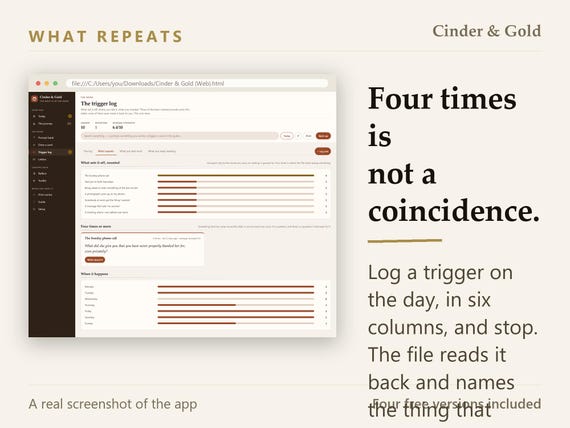
- TALLY. The trigger log is read rather than kept. After four of the same thing it says so, and it names the need you keep writing down.
- GATE. The safety pages come before the deep chapters, in that order — unless you switch it off, which takes one click.
- REMIND GENTLY. A sealed letter that comes due, a month that wants reading back, and never a word about a broken streak.
- THE ELEVEN TABS
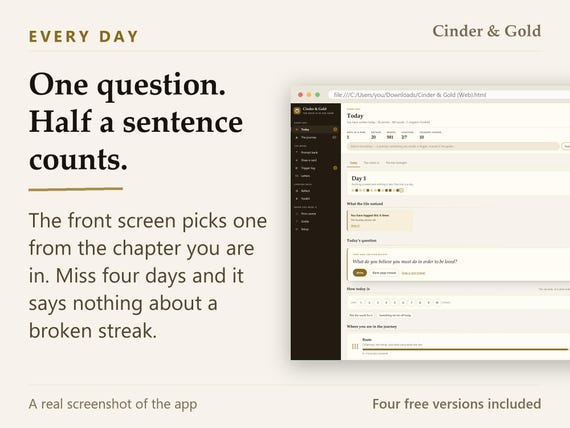
- Today: one question, a mood check-in, and where the whole thing has got to
- The journey: the seven chapters, with the safety pages before the deep ones
- Prompt bank: all five hundred and twenty, by category, by suit, or unanswered
- Draw a card: one question at random from a suit you choose, and a sitting timer
- Trigger log: six columns on the day, then read back: what repeats, what you need
- Letters: five kinds, including the unsent one, and one you can seal for later
- Reflect: everything you have written, the same question twice, and the year
- Toolkit: the emotion wheel, grounding, eight archetypes, glossary, cards
- Print centre: ruled pages for any question, the trigger log, and the worksheets
- Guide: every screen explained, searchable, in the language you set
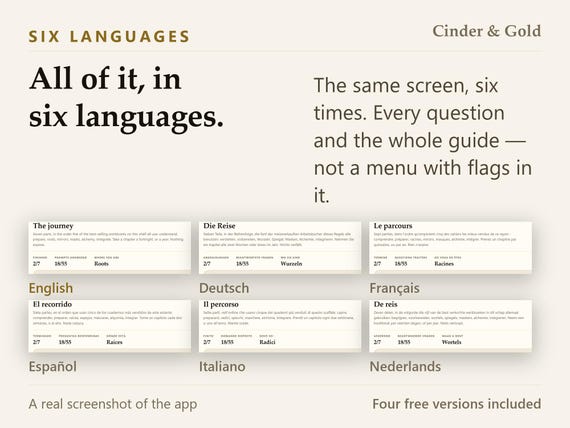
- Setup: ten palettes, six languages, the tab strip, backup, and privacy
HOW IT WORKS
Open the file. Answer the question on the front screen — half a sentence counts. Do the safety pages in chapter two before the deep chapters: a plan, one grounding practice you have actually tried, and a vow. Log a trigger on the day it happens. Then, in three months, answer the same question again and read the two side by side.
IT PRINTS, AND THE PRINTOUT IS THE POINT
A print centre with ruled pages for any question in the bank, the trigger log as a repeatable sheet, the seven worksheets, the emotion wheel and a certificate. Black and white loses nothing — nothing here means one thing in gold and another in grey.
PRIVACY, DESCRIBED RATHER THAN PROMISED
Everything you write stays in that browser on that device. There is no account, no password, no sign-in and no network call of any kind — not even to check for an update. A journal about the things you tell nobody should not need an account, and this one does not have the code to make one. One button writes a backup file you keep wherever you like; clearing your browsing data without one takes the lot, and the app says so plainly rather than in a footnote.
SETUP IS ONE BUTTON, AND IT WAS TIMED AT 0.3 SECONDS
First run is one button, not a wizard. Your language, your date format and your currency are read from the browser and already set — you confirm them rather than choose them, and a palette is already applied. One field is offered and it is optional. Measured in a clean browser profile, in all six languages, the worst case from double-click to a usable screen was 0.3 seconds.
THE GUIDE IS INSIDE IT
Not a separate PDF you lose. The full guide lives inside the app, in the language you set, and it is searchable — the question mark at the top of any screen opens it at that screen. Every area is covered, plus backup, restoring, moving to another device and printing. A one-page quick setup sheet comes in the download as well.
IT IS YOURS, AND IT STAYS YOURS
You buy the file, not a subscription. There is nothing to renew, nothing to cancel and no server that can be switched off underneath you. Ten palettes, each with a true light and a true dark. Six languages, switchable at any time. The tab strip is yours: reorder it, rename a tab, hide one you never use, choose which opens first — and hiding is never deleting, which the app says at the moment you do it.
- WHAT YOU DOWNLOAD
- the app — one HTML file, all six languages, all ten palettes
- a one-page quick setup guide, as a PDF, in this language
- a card with the link that gets your free version
QUESTIONS PEOPLE ASK BEFORE BUYING
Do I need an account?
No. There is no sign-in anywhere in the file and no code in it that could create one. Nothing is asked for and nothing is sent.
Does it work without the internet?
Yes, permanently. Nothing is fetched from anywhere — no fonts, no scripts, no update check. Put the machine in aeroplane mode and it behaves identically.
Which browsers does it work in?
Chrome, Edge, Firefox and Safari, on Windows, macOS, Linux, iPad, iPhone and Android. It is one HTML file — if the device has a browser, it opens.
How long does setting it up take?
It was timed at 0.3 seconds from double-click to a usable screen, in a clean browser profile, in all six languages. One button, and the settings are already read from your browser.
Is there a guide, and what is in it?
Two. A one-page quick setup sheet in the download, and the full guide inside the app: every screen explained, searchable, in your language, plus backup, restoring, moving device and printing. The question mark on any screen opens it at that screen.
What if I get stuck, or something is wrong?
How do I back it up or move it to another device?
One button writes a single file holding everything you have written. Copy that file and the app to the other device, open the app there and load the file back. If a month goes by without a backup the app says so, once, without nagging.
Is this therapy?
No. It is a journal. It cannot tell you what anything you write means about you and it does not try. There is a page in it listing the specific signs that mean it is time to ask a qualified person instead — and if you are thinking about hurting yourself, please go there first.
How do I get the free version?
A card in your download carries a link, and the same button is on a screen inside the app. Open it, pick whichever of the four you want, give a name and an email, and it downloads. No order number and no account.
- AND FOUR FREE VERSIONS, IN YOUR LANGUAGE
- You pick one and it is free — no extra cost and no order number. The link is on a card inside your download and on a screen inside the app; you give a name and an email and the file downloads. Each is in your language and built to the same standard as the app.
- Free Excel Version: Thirty sheets, and every figure is a formula. It does two of the four things a printed journal cannot: it READS BACK - answer a question twice and the row appears by itself, with both dates and the gap between them - and it TALLIES, so the trigger log is counted rather than kept, and after four of the same thing it says so. All five hundred and twenty questions are in it. Opens in Excel, in LibreOffice and in Google Sheets. No macros, and nothing in it connects to the internet.
- Free Printable Version: Eighty-nine pages, undated, in US Letter and A4 - both papers, so nobody has to choose before they have seen it. The seven chapters, all five hundred and twenty questions on ruled pages, the seven worksheets, the trigger log, the emotion wheel, the eight archetypes and the glossary. Every section starts on a new sheet and nothing runs across a boundary, so the trigger log is four sheets and the prompt bank is twenty - print the part you want and nothing else. It prints in black and white without losing a thing.
- Free Tablet Version: A hundred and six landscape pages, sized for a tablet, with a tab strip down the right-hand edge that is live on every one of them. Each chapter lists its own questions and every one is a link to the page it is written on. Write on it with a pencil in GoodNotes, in Notability or in Noteshelf - nothing in it needs a feature beyond an ordinary PDF link, which is the one thing all three read the same way. Four check-in sheets, six trigger sheets and six blank pages, because a tablet page cannot be photocopied.
- Free Notion Version: Twenty-four flat databases and four pages to read, as an import file - the entries, the check-ins, the trigger log, the seven worksheets, the letters, the monthly reflection, and the whole catalogue: five hundred and twenty prompts, forty categories, the emotion wheel, the eight archetypes and the glossary. The lists somebody else compiled arrive with their rows; the tables about your own life arrive empty. Settings → Import → Markdown & CSV and it is in your own workspace in a minute. Nothing of ours is published anywhere, so there is no link to go stale. No formulas and no relations, because neither survives an import - the app does the arithmetic; this keeps the record.
THE PLAIN FACTS
A digital download, not a physical item — nothing is posted. One HTML file plus two PDFs, under half a megabyte in total. It is a journal, not therapy, and it gives no medical or psychological advice. Because it is a file you keep, it cannot be returned once downloaded; if anything is wrong with it, write and it will be put right.
You may also like
All products →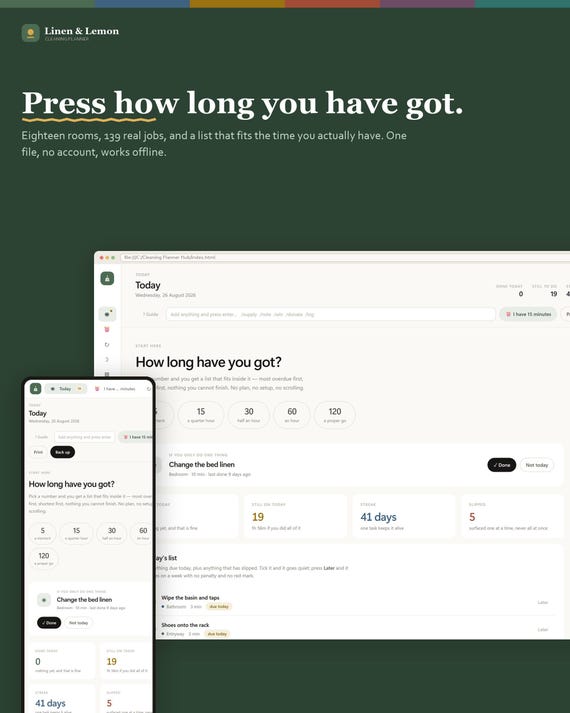
Cleaning Planner App, 18 Rooms, 139 Jobs, Offline HTML File (Digital Download)
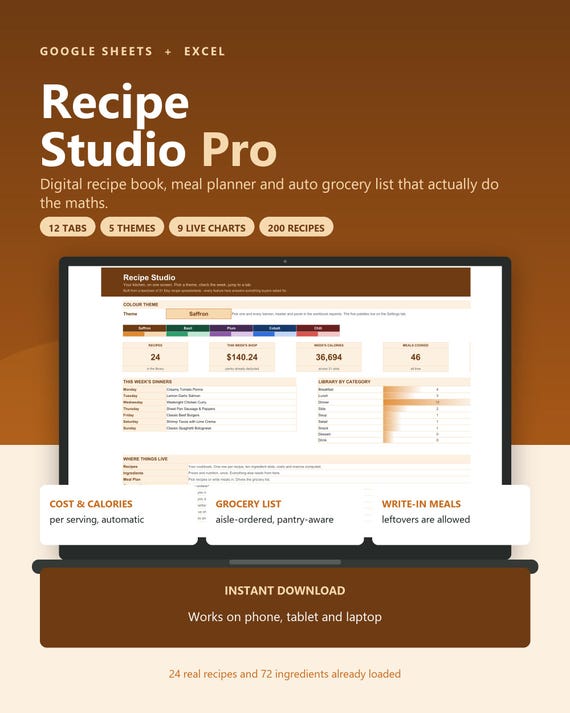
Digital Recipe Book Google Sheets Excel, Meal Planner with Auto Grocery List, Recipe Organizer Cookbook Spreadsheet, Recipe Cost Calculator
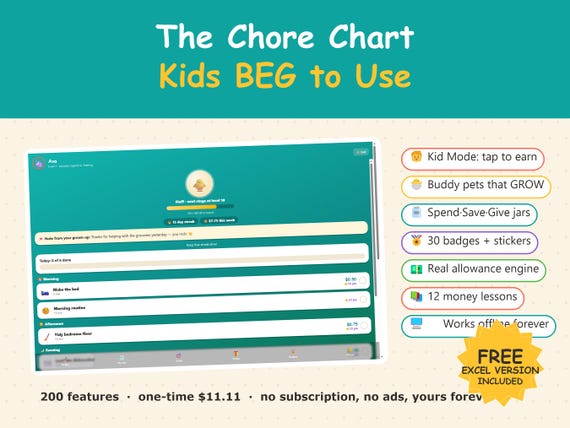
Interactive Chore Chart App, Kids Allowance Tracker, Money Skills (Digital Download)