ADHD Student Planner Hub, Assignment Tracker, Study Timer (HTML App)
On PayPal, choose Send, enter $15.55 and put the product name in the note. Your download link follows by email within 24 hours.
- Download link sent to your email after payment
- Works offline on Windows, Mac, iPad and Android
- One free bonus edition included: PDF, Notion, spreadsheet or GoodNotes
- Sold and supported by BrowserHub · hello@browserhub.app
Product #4558570056 · 11 views · 0 favourites
About this product
ONE THING. NOW. SMALL ENOUGH TO START.
Every ADHD student planner on this site is a PDF you print. A PDF cannot rank twenty-three open pieces of work and hand you one. It cannot know that reading takes you 2.4 times as long as you think while problem sets take 1.2. It cannot show you, from your own term, that the essays you touched in the first week scored 15 marks higher than the ones you opened the night before.
This one does all of that, because it is a real app - one .html file that opens in your browser, works completely offline, needs no account and no subscription, and keeps everything on your own computer.
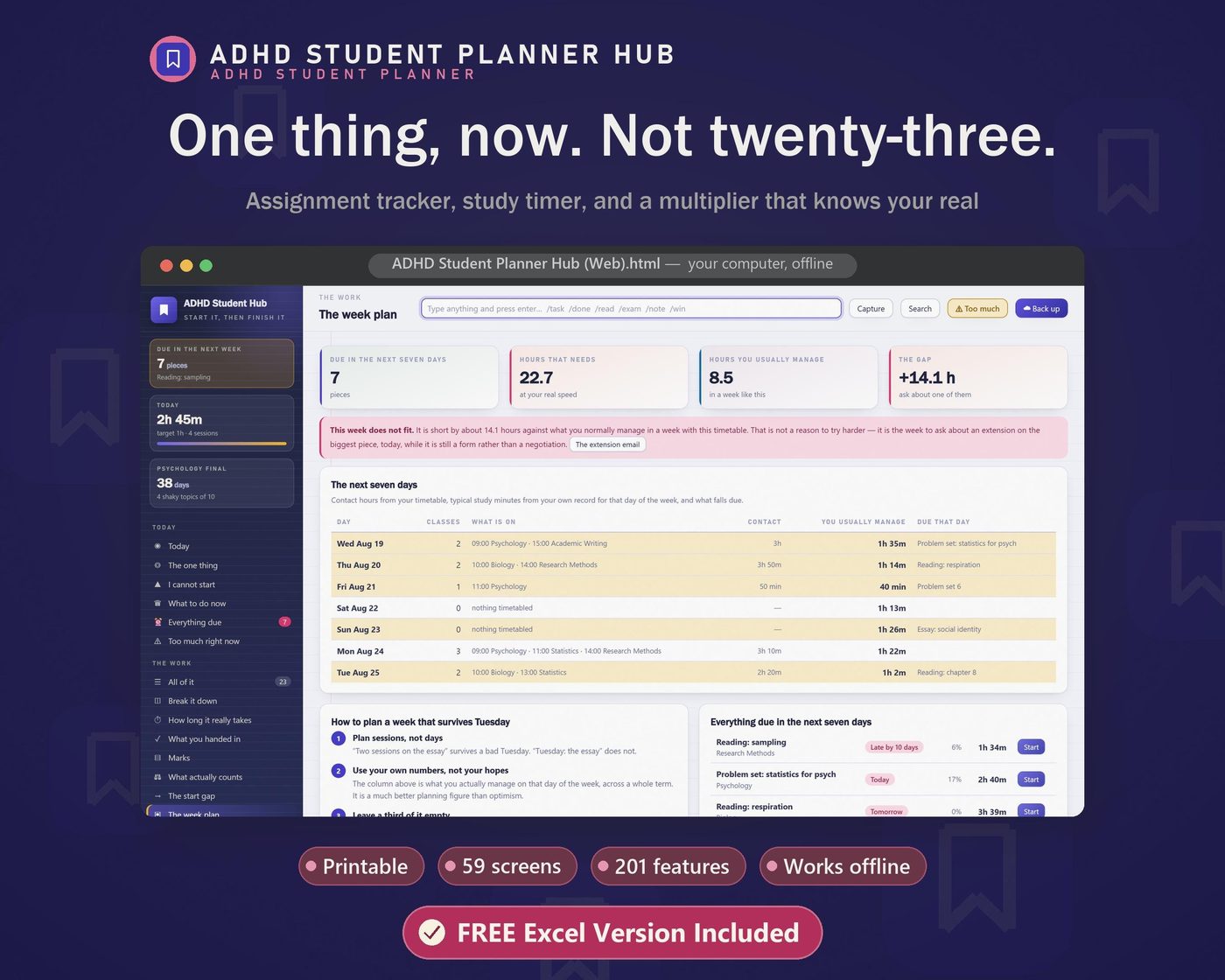
59 screens. 201 features. Seven engines. And a free 55-tab Excel workbook in the same download.
Built for the specific way university and sixth form go wrong with ADHD: long unstructured weeks, deadlines a month away, nobody noticing until something is missing.
▬▬▬▬▬▬▬▬▬▬▬▬▬▬▬▬▬▬▬▬▬▬▬▬▬▬▬▬▬▬
WHAT IT ACTUALLY DOES THAT A PRINTABLE CANNOT
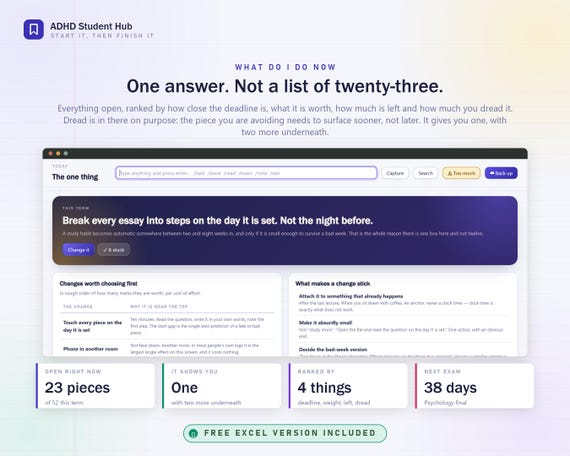
- ONE ANSWER, NOT A LIST OF TWENTY-THREE
- Everything open, ranked by how close the deadline is, what the piece is actually worth, how much of it is left, and how much you dread it. Dread is in the ranking on purpose - the piece you are avoiding needs to surface sooner, not later, because avoidance is what turns a manageable essay into a crisis. It gives you ONE, with two more underneath. A full list is not information, it is a demand.
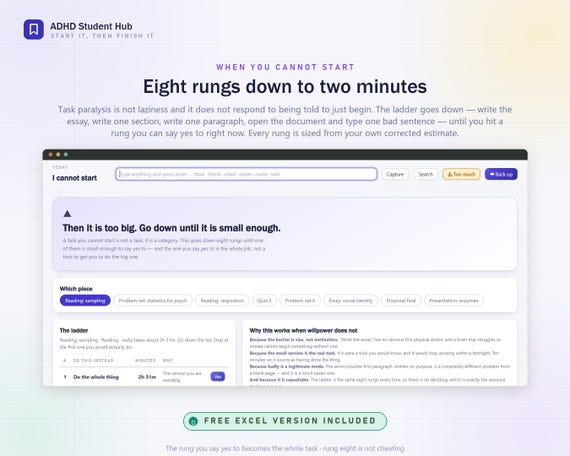
- THE LADDER - EIGHT RUNGS DOWN TO TWO MINUTES
- Task paralysis is not laziness and it does not respond to being told to just begin. The ladder goes down: write the essay, write one section, write one paragraph, write the worst possible opening sentence, open the document and type one bad line. Go down until you hit a rung you can say yes to RIGHT NOW, and do only that. Every rung is sized from your own corrected estimate, so it is a real amount of time rather than a slogan. The rung you say yes to becomes the whole task - it is not a trick to get you to do the big one.
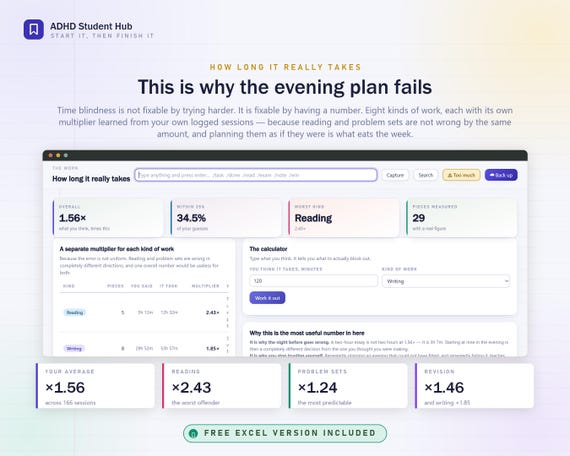
- HOW LONG IT REALLY TAKES
- Time blindness is not fixable by trying harder. It is fixable by having a number. Eight kinds of work, each with its own multiplier learned from your own logged sessions - because reading and problem sets are not wrong by the same amount, and planning an evening as though they were is what eats the week. In the worked term: reading runs at 2.43x, writing at 1.85x, problem sets at 1.24x.
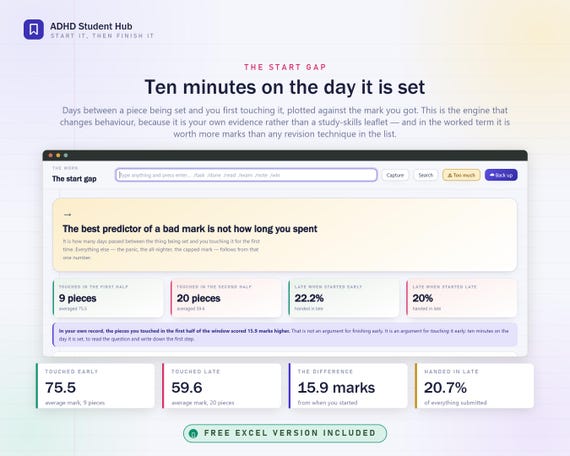
- THE START GAP - THE ENGINE THAT ACTUALLY CHANGES BEHAVIOUR
- Days between a piece being SET and you first touching it, plotted against the mark you got. In the worked term, work touched early averaged 75.5 and work touched late averaged 59.6. That is your own evidence, not a study-skills leaflet, and it is worth more marks than any revision technique in the list. Ten minutes on the day it is set.
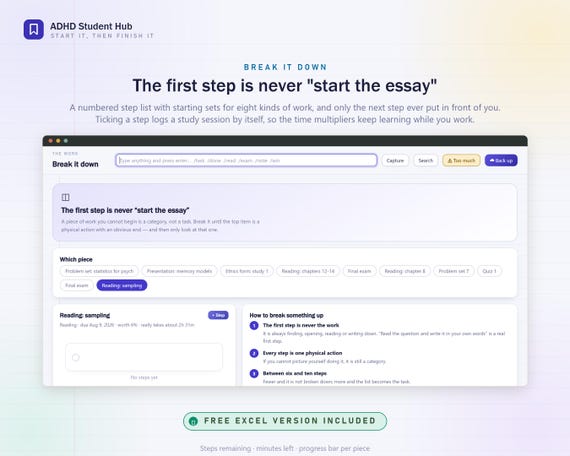
- BREAK IT DOWN, WITH THE FIRST STEP NEVER BEING "START THE ESSAY"
- A numbered step list with starting sets for eight kinds of work, and only the NEXT step ever put in front of you. Ticking a step logs a study session automatically, so the multipliers keep learning while you work. Progress bar, steps remaining, minutes left, per piece.
- WHAT ACTUALLY COUNTS
- Weight marked, weight banked, weight left, and exactly what you would need on everything remaining to hit your target. This is the screen for two in the morning. It turns a term that feels lost into arithmetic, and the arithmetic is almost always kinder than the dread.
- WHAT ACTUALLY WORKS, FOR YOU
- Twenty-four techniques, each logged against the recall you reported afterwards. Nobody has ever been argued out of highlighting a textbook - being shown their own two numbers works rather better. Recall-based work scored 3.88 in the worked term; passive re-reading scored 1.97, across 17.4 hours that felt exactly like studying.
- WHERE YOU WORK, AND WHERE THE PHONE IS
- Focus by place and focus by where the phone was, from your own sessions. Library 4.04, bed 2.59. Phone in another room 3.92, phone on the desk 2.93 with nearly four times the interruptions. The room is worth more than the technique, and the phone is worth more than the room.
- THE REVISION QUEUE
- Every topic ordered by days since you last touched it, weighted by how shaky you said you were - not by syllabus order, and not by which one you like. Plus the load: topics left divided by days left, which is the number that says whether the plan is real.
- ACCOMMODATIONS, WRITTEN DOWN
- Your 504, IEP, DSA or disability-services plan in one place: every adjustment, who agreed it, when it was reviewed, and whether it is ACTUALLY in place - which is usually the gap that matters. Plus twelve you can ask for, in the words to ask for them, a meetings log, and an extensions tracker, because an extension asked for in advance is administrative and one asked for afterwards is a conversation.
▬▬▬▬▬▬▬▬▬▬▬▬▬▬▬▬▬▬▬▬▬▬▬▬▬▬▬▬▬▬
THE FULL LIST OF SCREENS
TODAY - the one thing this term, what is due, an energy rating everything else reads, the timer, the next three, and the wins you would otherwise never see.
I CANNOT START, WHAT TO DO NOW, TOO MUCH RIGHT NOW - the three anti-paralysis screens, plus a rest-day button that records the day as chosen rather than failed.
THE WORK - everything you have to do with subject, kind, weight and dread; break it down; how long it really takes; what you handed in; marks; what actually counts; the start gap; the week plan; long projects.
STUDYING - the sprint timer, the study log, session length against focus, active recall, techniques, where you work, and notes.
EXAMS - every exam with date, weight, length and room; the revision queue; past papers timed and marked honestly; cramming, honestly; the night before; exam day; after the results.
CLASSES AND READING - timetable, attendance, lectures, readings with a pages-per-hour figure, and group work.
SUPPORT - your support plan, what you can ask for, meetings, extensions, telling people, and the four-line email that undoes a month of avoidance.
YOU - energy, sleep, barriers, body doubling, falling behind, medication, life admin, where things live, the email pile, and money briefly.
REVIEW - the dashboard, the weekly review, nine patterns from your own term, the term so far, wins, and a print pack.
SETUP - the wizard, settings, data, backup, help, and the full feature list.
▬▬▬▬▬▬▬▬▬▬▬▬▬▬▬▬▬▬▬▬▬▬▬▬▬▬▬▬▬▬
ONE-CLICK SETUP
Double-click the .html file. It opens in whatever browser you already use. Nothing installs, nothing asks for an email address, there is no licence key and there is no account.
Name your subjects, add the work as it is set, set a target and a realistic daily floor. Ten minutes, and most of it optional - everything else fills itself in as you use it.
It arrives with a full worked term already in it: a second-year psychology student, 84 days, 52 pieces of work, 166 study sessions, 102 hours, 19 marks, 3 exams, 28 topics, 74 wins. No screen is ever an empty grid asking you to imagine what it would look like full. One button clears all of it when you are ready.
▬▬▬▬▬▬▬▬▬▬▬▬▬▬▬▬▬▬▬▬▬▬▬▬▬▬▬▬▬▬
ONLINE BACKUP, EXPLAINED PROPERLY
Nothing you type is ever uploaded. There is no account and no server - which is the point, and also the reason keeping a copy is your job. So the app makes it four presses, and the guide spends five full pages on it.
BACK UP: Setup > Backup > "Choose backup folder". Your computer's own folder picker opens - choose a folder inside Google Drive, Dropbox, OneDrive or iCloud Drive. Press Allow. Press "Back up now". A file appears called adhd-student-hub-backup-2026-08-19.json and your cloud app syncs it within seconds. After that the app offers once a week and after any big change; one press writes a fresh file into the same folder.
NO FOLDER BUTTON? Safari and Firefox do not support the folder picker yet. Press "Download backup" instead - the file lands in Downloads and you drag it into your cloud folder once. Or point your browser's download folder at Drive and even that disappears.
RESTORE: Setup > Backup > "Restore from file". Choose the newest .json. It tells you how many subjects, pieces of work, sessions and days are in the file BEFORE you confirm. Confirm, and everything is back.
NEW COMPUTER: copy the .html across (or keep it in the same cloud folder), open it, restore from the newest backup, choose the backup folder again. Four minutes.
OPENING A BACKUP TO READ IT: the file is plain JSON - readable text, not a proprietary format. Open it in Notepad or TextEdit and your own data is right there with obvious labels. That readability is deliberate: your record is not hostage to this app.
ALSO EXPORTS: CSV for the work, the study log, the daily line and marks (opens in Excel, Numbers, Google Sheets); a one-page PDF support summary made to be handed to a tutor or a disability adviser; and printable pages for the ladder, the week plan, the revision queue and the exam countdown.
▬▬▬▬▬▬▬▬▬▬▬▬▬▬▬▬▬▬▬▬▬▬▬▬▬▬▬▬▬▬
THE FREE EXCEL WORKBOOK
Included in the same download, at no extra cost, because some people think in spreadsheets.
55 tabs. 1,874 live formulas. Zero error cells - it was recalculated in LibreOffice and checked cell by cell. Every calculation the app does is visible in the workbook with the formula in the bar, so you can see how a number was reached and change it if you disagree.
Four tabs to type in - The Work, Steps, Study Log, Daily Line - and fifty-one that read themselves. Opens in Excel, Google Sheets, LibreOffice Calc and Numbers.
▬▬▬▬▬▬▬▬▬▬▬▬▬▬▬▬▬▬▬▬▬▬▬▬▬▬▬▬▬▬
WHAT YOU DOWNLOAD
ADHD Student Planner Hub.html - the app. One file, 59 screens, works offline.
ADHD Student Planner Hub (Excel).xlsx - the free 55-tab workbook.
Quick Start Guide.pdf - 14 pages, five of them on backing up, restoring, exporting and moving computers.
All 201 Features.pdf - every single thing it does, listed and numbered, so you know exactly what you are buying.
Instant download. Works on Windows, Mac, Chromebook and Linux, in Chrome, Edge, Firefox and Safari. No subscription, ever.
▬▬▬▬▬▬▬▬▬▬▬▬▬▬▬▬▬▬▬▬▬▬▬▬▬▬▬▬▬▬
A NOTE ON WHAT THIS IS NOT
It is not a medical device, a diagnosis, a treatment or advice. It is a place to write down what already happens and see the arithmetic of it. Nothing in it grades you as a person - it grades work, which is a different thing.
There is no streak to lose. Nothing turns red. Stop using it for three weeks and it does not break; open it, log today, and every engine picks up from the data it has. The failure mode this was designed around is the one where you disappear for a month, because that is the one that actually happens.
Everything stays on your computer. No account. No server. No upload. It works with the internet switched off, and it will still open in ten years.
You may also like
All products →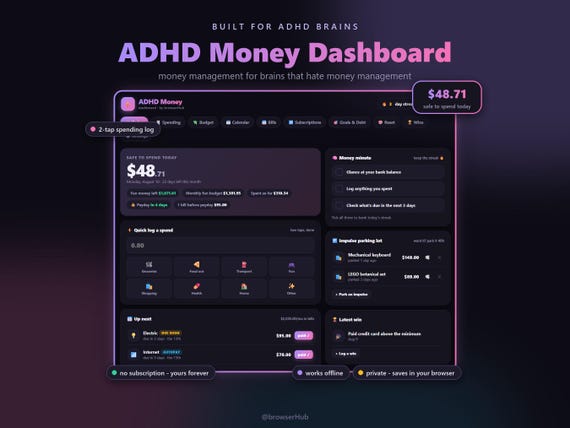
ADHD Money Dashboard App, ADHD Budget Planner, Safe to Spend Tracker (Digital Download)
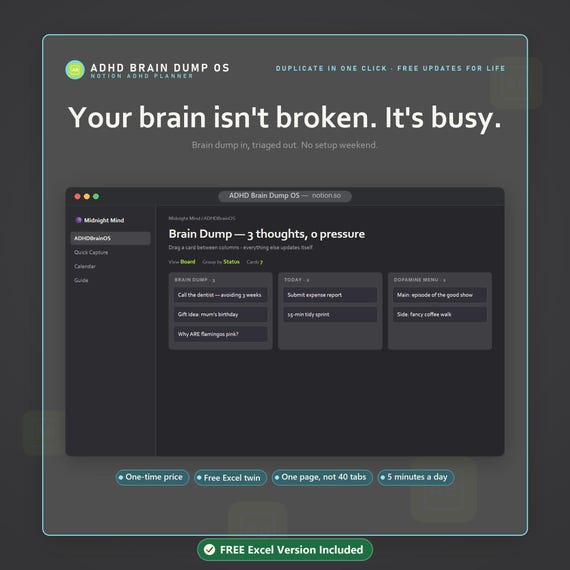
ADHD Notion Template, Dopamine Menu, Brain Dump Dashboard, Task System

ADHD Planner, Offline HTML Tool, Focus, Structure, Notion, GoodNotes, Printable (Digital Download)